
Homework Help
Step 1 · Snap or type tonight’s page from school.

Snap tonight’s school page first—reading, math, grammar, or vocabulary. When they need extra reps, open Kumon-style topic sheets and mixed Tests—together at the table, not kid-solo AI.
Read with Pictures still turns “This is boring” into “one more chapter, please.”
80 Genie Points free on every new account · No card required · Not K5 Learning
The app home works the same way—pick a step, open a subject. Step 1 is tonight’s page from school. Steps 2 and 3 are the Kumon-style mastery loop (topic sheets, then mixed review)—built for parent-and-child co-play at the table, not drop-off alone time.
Step 1 · Snap or type tonight’s page from school.
Step 2 · Kumon-style topic sheets—together at the table.
Step 3 · Mixed review before a school quiz—you run it together.
Step 1 · Homework Help
Photograph or type tonight’s school page—reading story, math worksheet, or spelling list. Same co-play flow for every subject.
Snap the reading page from school. k5 Genie turns it into illustrated reading you do together—not kid-alone practice from someone else’s library.
Tap any paragraph to listen together—helpful when you want to hear tricky words before you explain them.
Tricky vocabulary on the page, with optional L1 meanings in the language your family speaks at home.
Reopen past pages from your library anytime—pick up where you left off on a multi-night assignment.
Print the sheet, fill it at the table, snap it back—fast checks that they understood what they read.
Worksheet photo → reading guide · Parent verify · Compare reading apps
Open Reading homework →
Photograph the workbook page from the backpack. k5 Genie reads the problems and walks through step-by-step checks with you beside your child—not a kid-solo answer bot.
Camera, upload, or paste—start from the exact page on the table, not a generic worksheet library.
Review each problem on screen before dinner. You see the work and the reasoning, not just a final number.
Fill the page at the kitchen table, snap it back, and check answers together when they’re done.
Reopen past math pages from this device—handy when homework runs across multiple nights.
Parent verify guide · Free printable math worksheets
Open Math homework →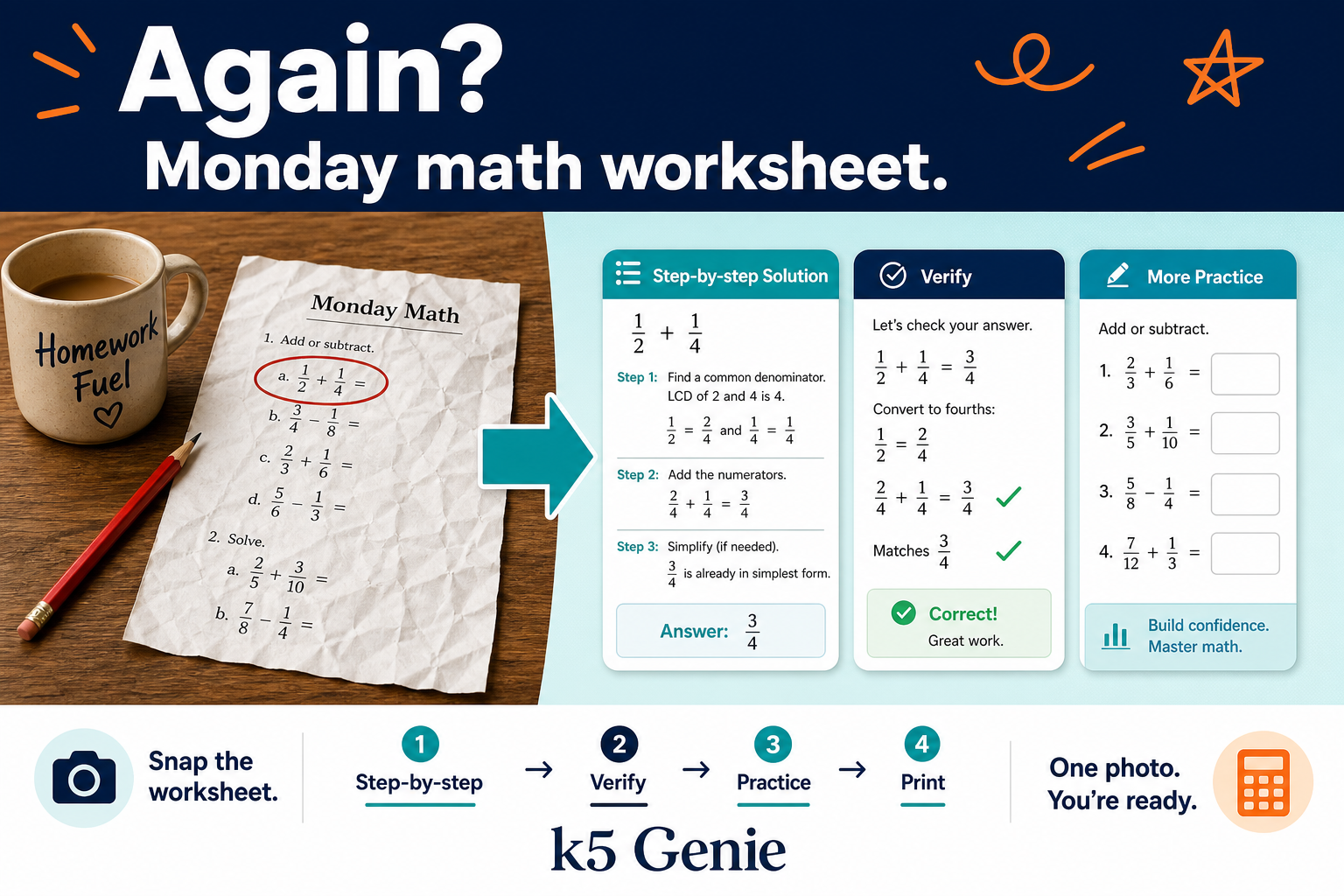
Snap the week’s spelling list or vocabulary sheet. Turn school words into flashcards, crosswords, and quizzes you practice together—including bilingual cards from the same list.
Extract words from a photo of the list or upload the PDF from the teacher—no retyping every word.
Generate printable flashcards or a crossword from tonight’s words in a few taps.
Build a quiz from the list, review definitions, and run quick checks before the spelling test.
Bridge English school words with Hindi, Spanish, Gujarati, and more—rooted in this week’s homework.
Word list → flashcards · Word list → crossword · Bilingual flashcards
Open Vocabulary homework →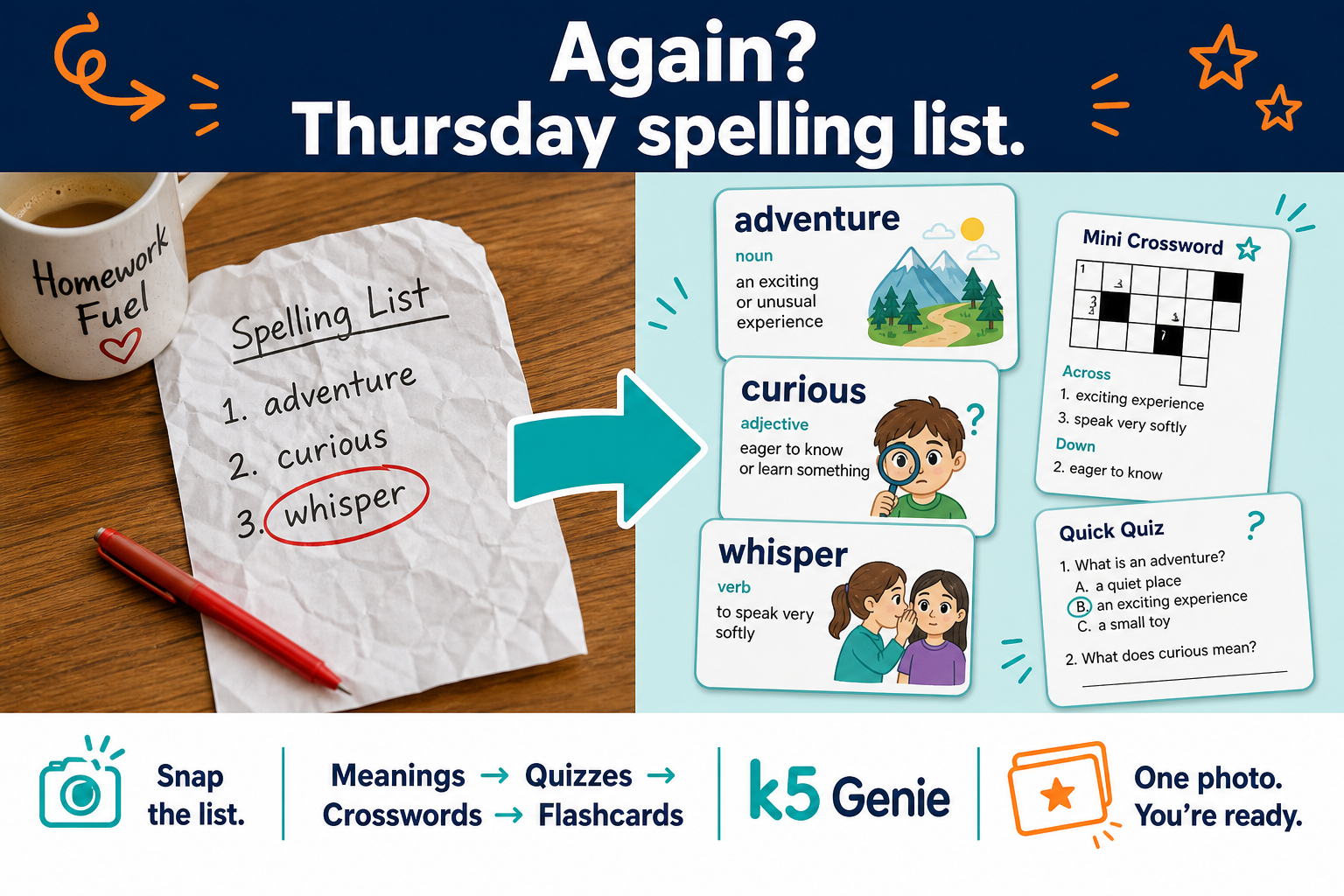
Learn is the homework loop above—Homework Help, Practice, and Tests. When you have room left in the evening, four more pillars stay in the same app. Same login, no extra download. Five pillars explained →
Thinking through games. Sudoku, photo jigsaw, matchstick puzzles, and word games together.
Open in app →Family and culture. Bilingual flashcards and crosswords from school vocabulary—not a rigid course.
Open in app →Room for big feelings. Breathing stories, Tiny Resets, and gentle audio when the day runs hot.
Open in app →Imagination on paper. Photo-to-coloring pages, guided drawing grids, and printables for the counter.
Open in app →Same three steps as the app home—start with tonight’s homework, add practice where they need reps, then run a mixed test when you want proof it stuck.
Step 1 · Homework Help
Photograph the workbook page on the way home, open Math homework, and walk through step-by-step checks together before dinner.
Step 2 · Practice
A few problems still tripped them up—open fraction practice by grade, run another short set at the table, and talk through the steps out loud.
Step 3 · Tests
Friday quiz coming up—run a grade-level math test together to see what’s solid and what needs one more pass tomorrow night.
Most tools stop at generic practice libraries. k5 Genie starts from your worksheet on the table—homework help, topic practice, and mixed tests with you beside your child.
When homework wraps, Play, Calm, Connect, and Create are still one tap away in the same login—fewer tabs, fewer “grab another app” detours on busy nights.
Homework windows are short. These are the kinds of evenings k5 Genie is built for—fast setup, clear on-screen output, and printables you can hand to a child right away.
“I snapped his fraction sheet on the way home. We had step-by-step checks on screen before we even got to the kitchen table.”
“My daughter reads in English at school. Connect lets us explain the hard words in Hindi and still answer the questions together.”
“Homework first, then we hit fraction practice when he missed a few. The mixed math test the night before the quiz showed us exactly what to review again.”
Generic apps stop at practice libraries. k5 Genie runs the full loop—Homework Help from tonight’s page, Kumon-style Practice by topic, and mixed Tests you run together—with parent co-play across reading, math, grammar, and vocabulary.
Simple plans that match how your family uses Genie.
Generic apps stop at practice libraries. k5 Genie covers Homework Help from tonight's page, Kumon-style Practice by topic, and mixed Tests you run together—with parent co-play across reading, math, grammar, and vocabulary. Prices and Genie Points limits below match the Subscription page in the app. Free accounts receive 80 lifetime Genie Points (text actions use about 1 point; illustrations use about 8). Paid plans add a monthly pool plus a daily cap.
$0
lifetime starter on every new account
$8.99
per month
Most popular
$24.99
per month
Taxes may apply where required. Cancel anytime through the Stripe customer portal (linked from the app Subscription page or your receipt). Mid-cycle upgrades follow Stripe proration rules shown at checkout.
Open Subscription in the app to compare plans, see your Genie Points balance, start checkout, or manage billing.
Questions or school inquiries? Email [email protected]. We usually reply within one to two business days.


